IT support
WinAdmin Kit
PowerShell commands for the weekly help desk tasks, and a dashboard for the state of the network.
The problem
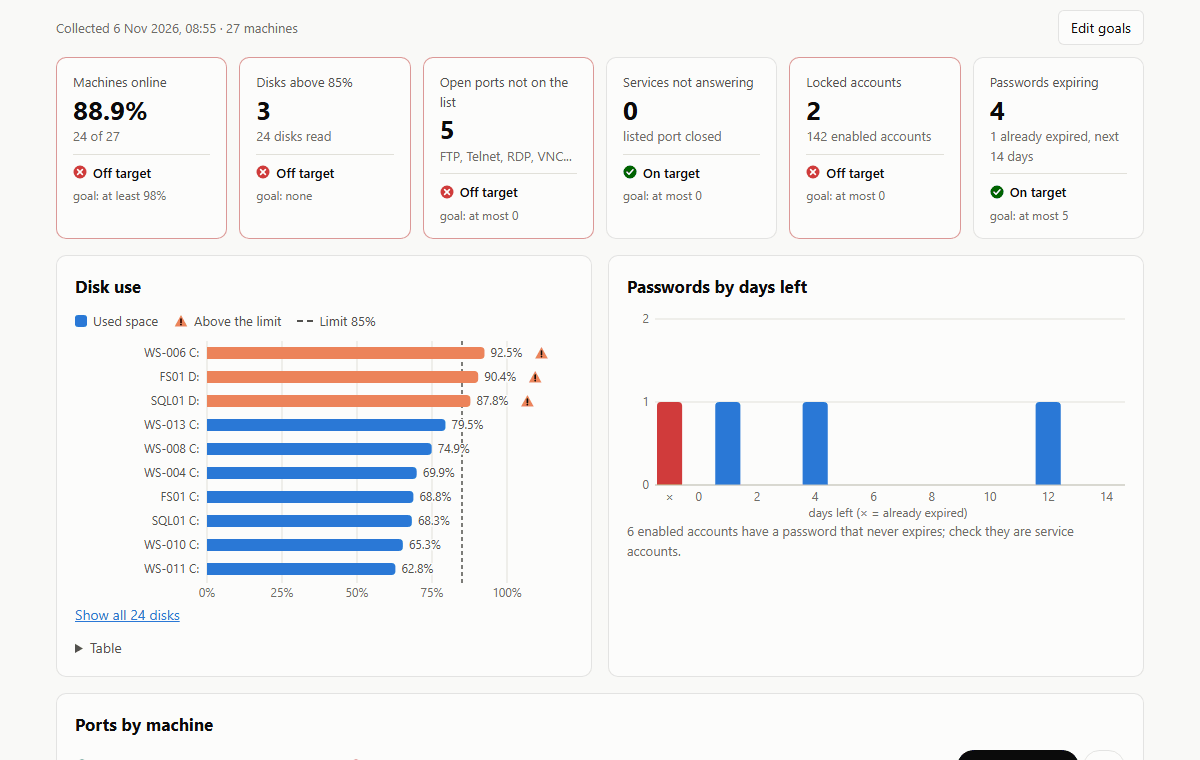
Onboarding a new hire, resetting a password, giving a team access to a shared folder and checking the network take many clicks every time, and a wrong group or a broken permission is easy to miss. The server that stopped answering, the disk at 95% and the password that expires tomorrow go unnoticed until someone calls.
Who it is for
- IT support and help desk technicians
- Small companies with one person looking after IT
- Service providers supporting Windows networks
How it works
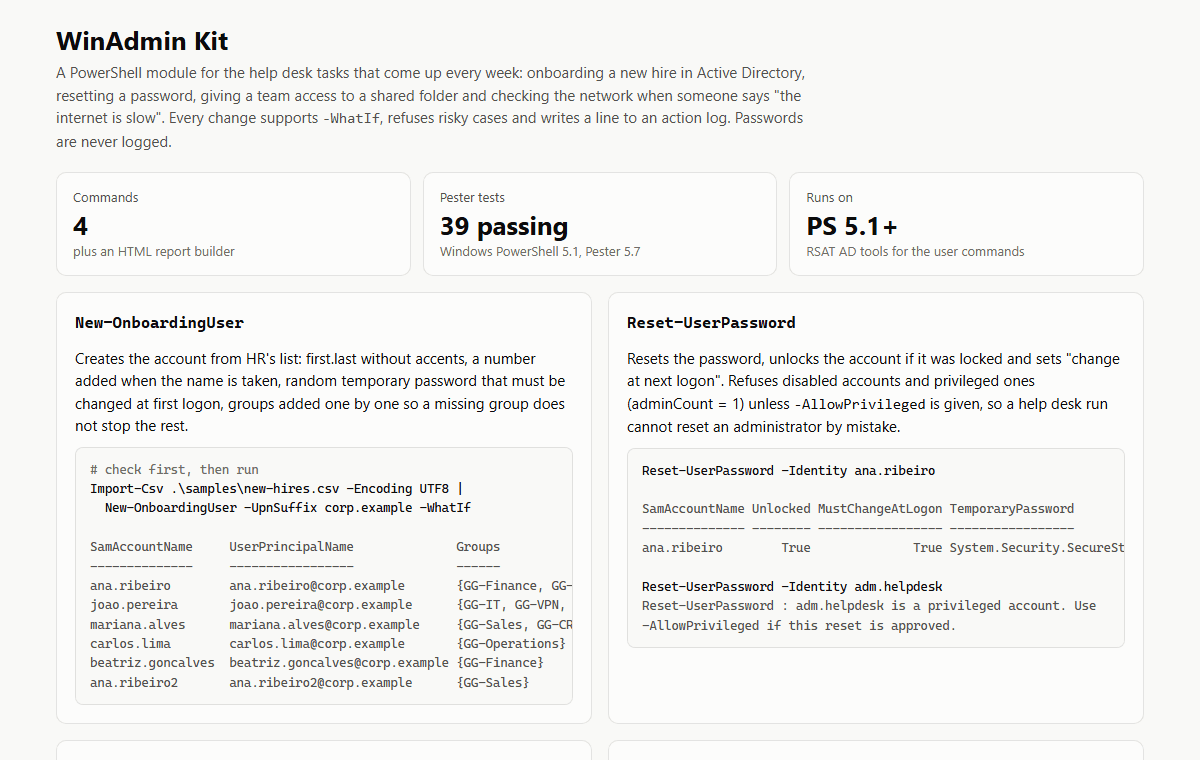
- Import the module and run a command with -WhatIf first to see what would change.
- Run it for real: new users from the HR spreadsheet, password resets, folder access through groups. Risky cases are refused and every change goes to an action log; passwords are never logged.
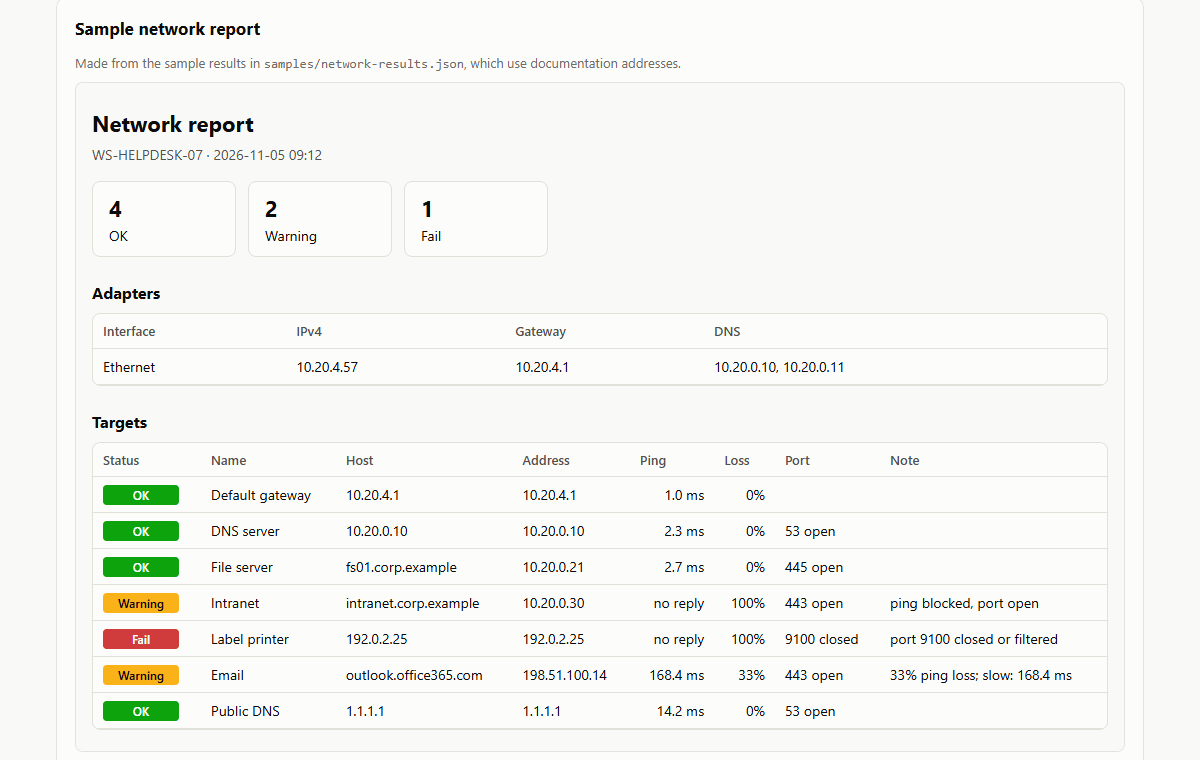
- Run Export-NetworkSnapshot and drop the file on the dashboard: machines that do not answer, ports open that should not be, disks filling up, locked accounts and passwords about to expire, each against a goal you set.
Why the dashboard reads a file
A web page has no access to your network, and for security it should not have any. Export-NetworkSnapshot runs on a machine inside the company, with your permissions, and writes one JSON file: the machines and whether they answer, open ports, disk space, locked accounts and passwords about to expire. You drop that file on the dashboard, which reads it on your computer. Nothing is uploaded and nothing from the file is kept; only your goals are saved, in the browser.
Screens
About the demo
The dashboard opens with an invented network of 27 machines and 142 accounts; you can also drop your own snapshot file, which stays in your browser. The command page shows sample runs. The commands need Windows with PowerShell 5.1 or later and, for users and accounts, the Active Directory tools.
What a full version would add
The demo covers the daily work. Set up for a company, it would also have:
- Requests from the help desk run the command and close the ticket
- Snapshots taken on a schedule, with history and an alert when a goal is missed
- Offboarding and license clean-up in Microsoft 365
- A simple web form so staff can request folder access